
Exploring Your Mouse
The Mouse is an important tool in your productivity arsenal – when you know how to use it. One does not rely on the mouse when a shortcut will be easier, however sometimes precision is necessary.

[jwplayer player="1" image="http://macdojo.com/wp-content/uploads/2015/03/yosemite-thumbnail.jpg" sources="{ file:'rtmp://s328aenrh4lmam.cloudfront.net/cfx/st/mp4:exploringmouse.mp4', label: 'Desktop' },{ file:'https://s3.amazonaws.com/yosemitedojo/exploringmouse.mp4', label: 'Mobile' }"]
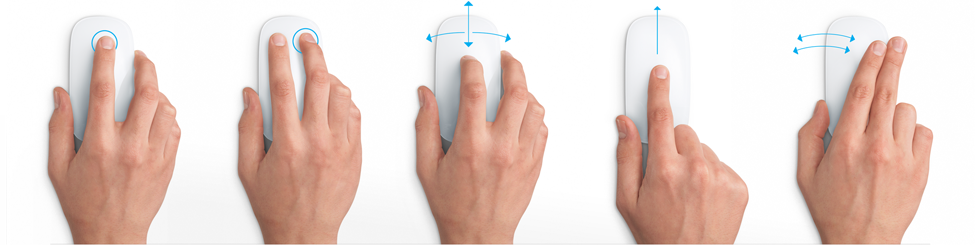
It doesn't really matter what mouse you use, as long as it's comfortable, smooth, and you like it. Do not penny pinch on a cheap mouse. If you were willing to buy a Mac, then you deserve a worthy instrument to enhance your Mac. These are the mice I displayed in the video for your reference.
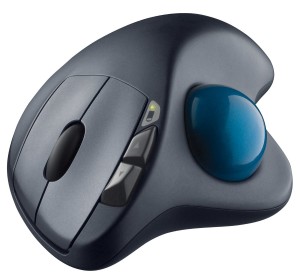
Logitech M570 Wireless Trackball
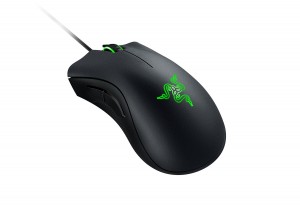
The mouse I use: Razer Gaming Mouse
Leave your ninja related questions and comments below...
Training Information
Action Tips:
Checkout your mouse System options and shop around for a mouse that suits your needs. Definitely get something with customizable buttons near the thumb. They can be a lifesaver.


2 Comments
Rolland
September 13, 2015Lesson 2 played OK, but again I lost the volume at the 1:15 mark of lesson 3!! I wasnʻt able to listen to the entire first lesson.
Tharyn
September 28, 2015Try to reload the video or use a different browser for just this video. It sounds fine for me on Chrome. Hope that helps! If not, plz email me at tharyn@macdojo.com 🙂
You must be logged in to post a comment.